








 English
 Français
 Deutsch
 Italiano
 Español


Non-fiction
Technologie
 Publié le 10 déc. 2025
Mis à jour le 10 déc. 2025
Publié le 10 déc. 2025
Mis à jour le 10 déc. 2025
 4 min
4 min

Non-fiction
Technologie
Publié le 10 déc. 2025
Mis à jour le 10 déc. 2025
4 min



 Contribuer
Under the Hood of Shopify Headless: What Powers the Flexibility
Going headless with Shopify isn’t just about splitting your frontend and backend. It’s about building a fast, flexible, and scalable foundation for your storefront.
So what actually makes it work?
Here’s a breakdown of the essential tools and systems behind Shopify Headless and how they work together to give you creative freedom without sacrificing stability.
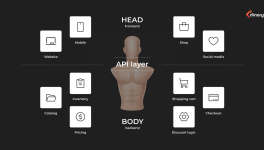
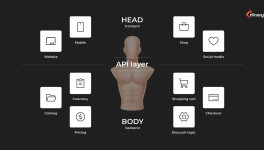
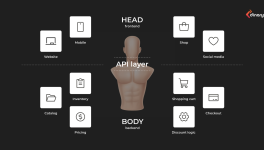
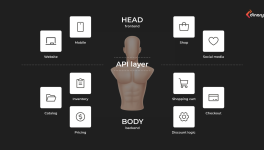
Shopify APIs: The messengers behind the scenes
When you remove the default Shopify theme, you still need a way for your custom storefront to talk to Shopify’s backend.
That’s where Shopify’s APIs come in:
- Storefront API: Handles product data, customer interactions, and checkout initiation. (Think: “What does the user see and click on?”)
- Admin API: Manages the backend — orders, inventory, fulfillment. (Think: “What happens after the order is placed?”)
- Cart API: Keeps the cart functional — adding, removing, updating items.
- Checkout API (Shopify Plus only): Gives full control over the checkout experience, allowing for advanced flows like subscriptions, upsells, or multi-step checkouts.
Together, these APIs give you the freedom to build your storefront in your own way while still relying on Shopify to do the heavy lifting in the background.
Frontend frameworks: Hydrogen or something else?
To build your storefront, you need a framework. Shopify offers Hydrogen, a React-based toolkit built specifically for headless Shopify stores.
Why use Hydrogen?
- Comes with pre-built components (product cards, carts, etc.)
- Optimized for Storefront API
- Built-in performance best practices
But if you need something different, you’re not locked in. Many developers choose:
- Next.js
- Nuxt.js
- Vue.js
- Remix
It all depends on your project, your team, and your goals. Headless means freedom and that includes choosing how you build.
Hosting options: Shopify Oxygen vs third-party platforms
Once you’ve built your storefront, you need to deploy it somewhere.
If you use Hydrogen, Shopify offers Oxygen, its built-in hosting platform designed for speed, security, and scale. It integrates tightly with Shopify’s backend and removes the need for external hosting.
But you can also host your frontend elsewhere:
- Vercel
- Netlify
- AWS
- Cloudflare Workers
Each option gives you flexibility based on how your development and DevOps teams work.
What you need to handle on your side
Going headless gives you freedom but it also means you’re now responsible for a few things Shopify used to manage for you, like:
- Content Management: You'll need a headless CMS (like Contentful, Sanity, or Strapi) for blog posts, landing pages, and non-product content.
- SEO basics: Structured data, metadata, and sitemap generation aren’t automatic anymore — you’ll have to build them into your frontend.
- Performance tuning: You control frontend performance. That means edge caching, image optimization, and preloading strategies are in your hands.
One more thing: App integrations
Many Shopify apps weren’t built with headless setups in mind. That means:
- Some won’t work out of the box
- Others may need custom API-based integrations
- Advanced features like A/B testing, analytics, and chat may require developer support
The big takeaway?
Shopify Headless gives you powerful tools and total creative freedom but it’s not plug-and-play. You get flexibility, but you also take on more control and responsibility.
If your business is ready to build something faster, leaner, and more future-proof, this setup gives you everything you need under the hood.








 Technologie












 Tu peux soutenir les auteurs qui te tiennent à coeur








Commentaire (0)